
Surf's Up
Surf's Up is a side-scrolling sports action-platformer de...


Game Details & Specifications
Specification | Details |
Title | Major League Baseball 2K7 |
Platform | Game Boy Advance (GBA) |
Developer / Publisher | Skyworks Technologies / 2K Sports |
Release Date | North America: May 2007 |
Genre | Sports / Baseball Simulation |
File Size | 64 Mb (Approx. 8 MB) |
Recommended Emulators | VisualBoyAdvance (PC), My Boy! (Android), Delta (iOS) |
Key Features & Gameplay Mechanics
Official MLB & MLBPA Licenses: Features all 30 official Major League Baseball teams, real ballparks, and authentic player rosters from the 2007 season.
Multiple Game Modes: Play quick exhibition games in Exhibition Mode, manage a franchise through a full 162-game schedule in Season Mode, or jump straight to the Playoffs / World Series.
Timing & Pitch Selection Mechanics: Utilize directional pitching controls to select fastball, curveball, slider, or changeup variations, and execute timed swings at the plate to hit for contact or power.
Handheld Roster & Stat Tracking: Track full season team standings, individual player batting averages, ERA, home run counts, and field defensive positioning tailored for on-the-go play.
Frequently Asked Questions (Q&A)
Q1: How do I switch between contact swings and power swings when batting?
A1: When at the plate, press the A Button for a standard contact swing to increase hitting probability, or press the B Button to attempt a high-risk, high-reward power swing for home runs. Use the D-Pad to influence direction.
Q2: How do I choose pitch types and location as a pitcher?
A2: Before pitching, select your pitch type (Fastball, Changeup, Slider, etc.) using the face buttons displayed on the screen pitch menu. Hold the D-Pad toward your targeted location in the strike zone and time your button press to maximize pitch accuracy and movement.
Q3: Does the GBA version support full season stats and team trades?
A3: Yes, in Season Mode, the game automatically saves team records, player statistics, and league standings across multiple games, allowing you to manage your roster and advance through the postseason to the World Series.
Q4: How do I control baserunners and steal bases?
A4: While on base, hold the L Button or R Button along with the corresponding D-Pad direction assigned to the target base (e.g., Up for 2nd Base) to command a baserunner to advance or attempt a stolen base during the pitcher's windup.
Q5: What should I do if the ROM fails to save season progress or displays a blank screen?
A5: Ensure your emulator's save hardware type is set to EEPROM / Flash 64K or Flash 128K with auto-detection enabled. If using hardware flashcarts (like EZ-Flash or EverDrive), verify that you are running a clean ROM dump and that automatic save-patching is active.
Click the links below to go to the cloud drive download page
⚠️ Download Tips:
Surf's Up is a side-scrolling sports action-platformer de...

M&M's Break-Up (often cataloged as M&M's Break 'Em or M&M...

Free Fall is a casual arcade-style puzzle game developed ...
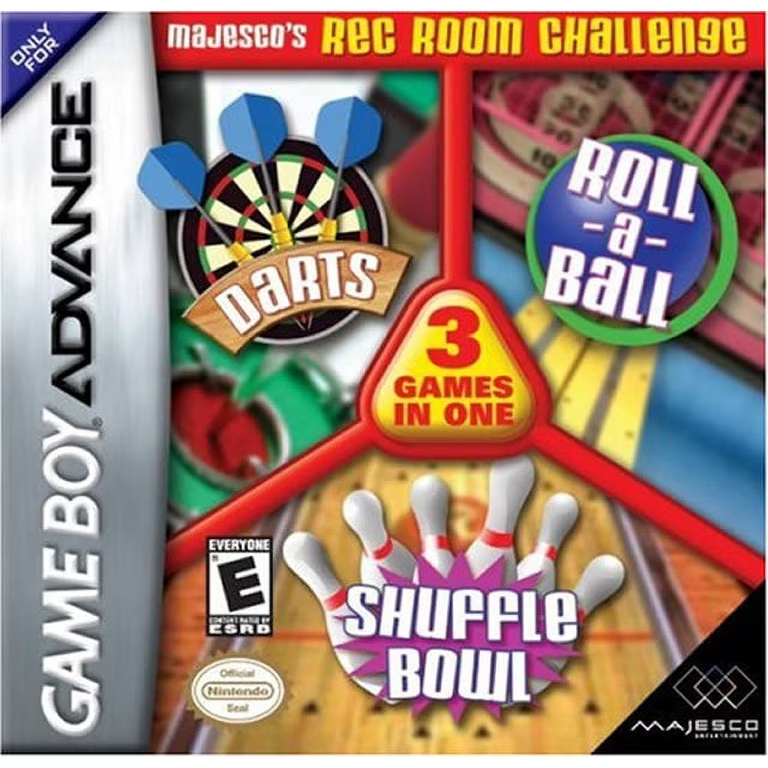
Majesco's Rec Room Challenge is a casual 3-in-1 parlor ga...

Need for Speed Carbon: Own the City is a high-octane stre...