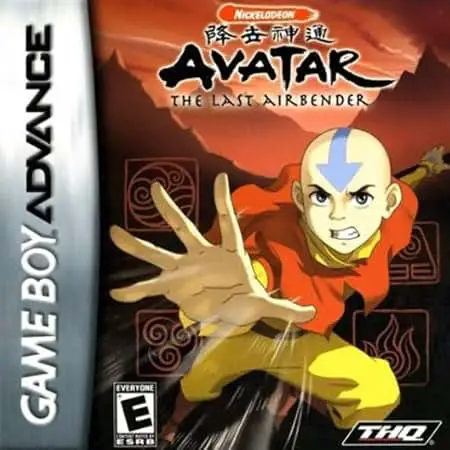
Avatar: The Last Airbender
Avatar: The Last Airbender brings Nickelodeon's acclaimed...

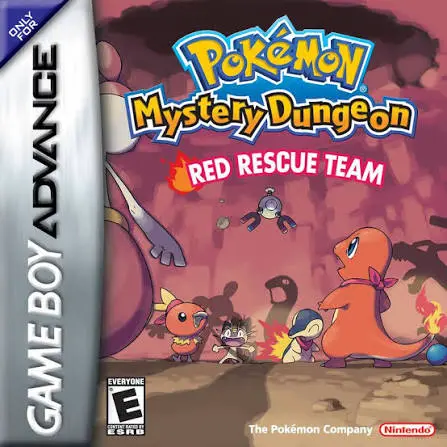
Pokémon Mystery Dungeon: Red Rescue Team is a critically acclaimed rogue-like role-playing game developed by ChunSoft and published by Nintendo and The Pokémon Company in 2006. Released alongside its sister title Blue Rescue Team on the Nintendo DS, the GBA version delivers a rich, immersive adventure optimized for handheld hardware.
The core gameplay loop centers on exploring labyrinthine, procedurally generated dungeons (Mystery Dungeons) where layout, items, and enemy placements change every time you enter. Players must strategically manage their inventory, tactical positioning, and PP (Power Points) while taking turns against wild Pokémon. Between expeditions, you operate out of your custom rescue base, recruit defeated foes to expand your roster of allies, accept mission requests from the Pelipper Post Office, and prepare for harrowing boss encounters as you unravel the mystery behind your human transformation.
Developer: ChunSoft
Publisher: Nintendo / The Pokémon Company
Platform: Game Boy Advance (GBA)
Release Date: September 2006 (North America) / November 2005 (Japan)
Genre: Rogue-like / Role-Playing Game (RPG) / Tactical
Player(s): Single-player (with multiplayer rescue features via Link Cable)
ESRB Rating: Everyone
Unique Transformation Premise: Start your journey by taking a personality quiz that selects your protagonist Pokémon and partner from numerous available starters and companions.
Procedurally Generated Dungeons: Experience infinite replayability with randomized floor layouts, items, traps, and enemies every time you enter a dungeon.
Strategic Turn-Based Combat: Master tactical grid movement, elemental type advantages, status conditions, and team moves where every action counts.
Recruit Over 380 Pokémon: Befriend and recruit defeated wild Pokémon across generations I through III to build custom rescue teams tailored to any dungeon hazard.
Emotional Storyline: Journey through a compelling narrative filled with memorable characters, natural disasters, fugitive arcs, and legendary encounters.
Red Rescue Team was released for the Game Boy Advance, while Blue Rescue Team was released for the Nintendo DS. Aside from hardware differences, dual-screen layout capabilities on the DS, and minor connectivity features, both versions share the exact same core story, dungeon mechanics, and Pokémon rosters.
At the beginning of the game, you complete a personality quiz. Based on your answers, the game assigns you a specific starter or partner Pokémon that best matches your psychological profile, though you can choose to override it if you prefer a specific species.
Yes! After clearing the main storyline and fulfilling specific criteria—such as having the correct Friend Area unlocked and reaching required dungeon depths—you can battle and recruit legendary Pokémon like Articuno, Zapdos, Moltres, Rayquaza, and Mewtwo.
If your team is defeated inside a dungeon, you lose items and money unless you send out a "Help Request" password or use a Game Boy Advance Link Cable to let another player rescue you, allowing you to resume right where you fell.
Click the links below to go to the cloud drive download page
⚠️ Download Tips:
Avatar: The Last Airbender brings Nickelodeon's acclaimed...
Summon Night: Swordcraft Story 2 is a highly acclaimed ac...

Marvel: Ultimate Alliance is an isometric action RPG for ...
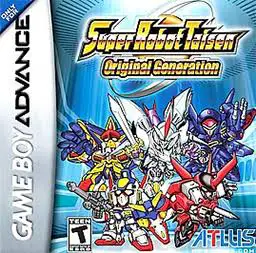
Lead an elite squad of futuristic mecha pilots into tacti...
Forge your own destiny in a world where magic and machine...